Min/Max Recommendations
Min/Max Recommendations give you ML-driven minimum and maximum replica boundaries for Autopilot. Wave analyzes each Deployment's traffic and recommends the replica bounds to use, in two flavors: a Performance set (more headroom) and a Cost set (leaner).
Deployments only. Min/Max Recommendations are available for Deployments, not StatefulSets or DaemonSets.
How it works
Wave learns a Deployment's traffic pattern (24-hour cycles, over 7 to 14 days of history) and produces two recommended sets of bounds:
- Performance:
Min PerformanceandMax Performancekeep more headroom for spikes. Use for production, user-facing services. - Cost:
Min CostandMax Costrun leaner to save cost. Use for cost-sensitive or latency-tolerant workloads.
There is no separate toggle. Recommendations appear automatically once Autopilot is enabled on the Deployment and enough data has been collected.
Viewing recommendations
- Enable Autopilot (or Monitoring) on the Deployment; see Getting Started.
- Open the Deployment and go to its Min/Max Recommendation tab.
- Review the Performance and Cost cards.
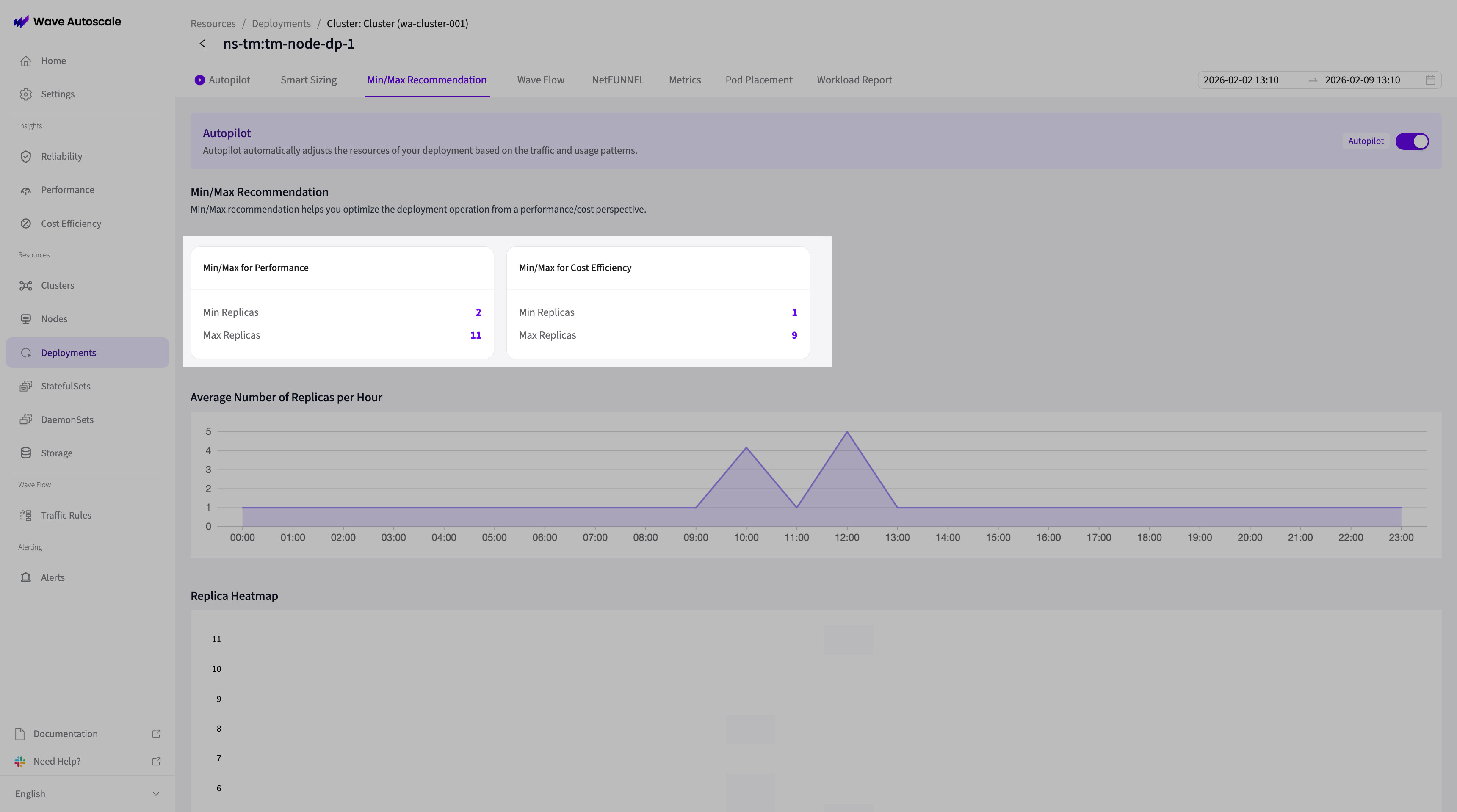
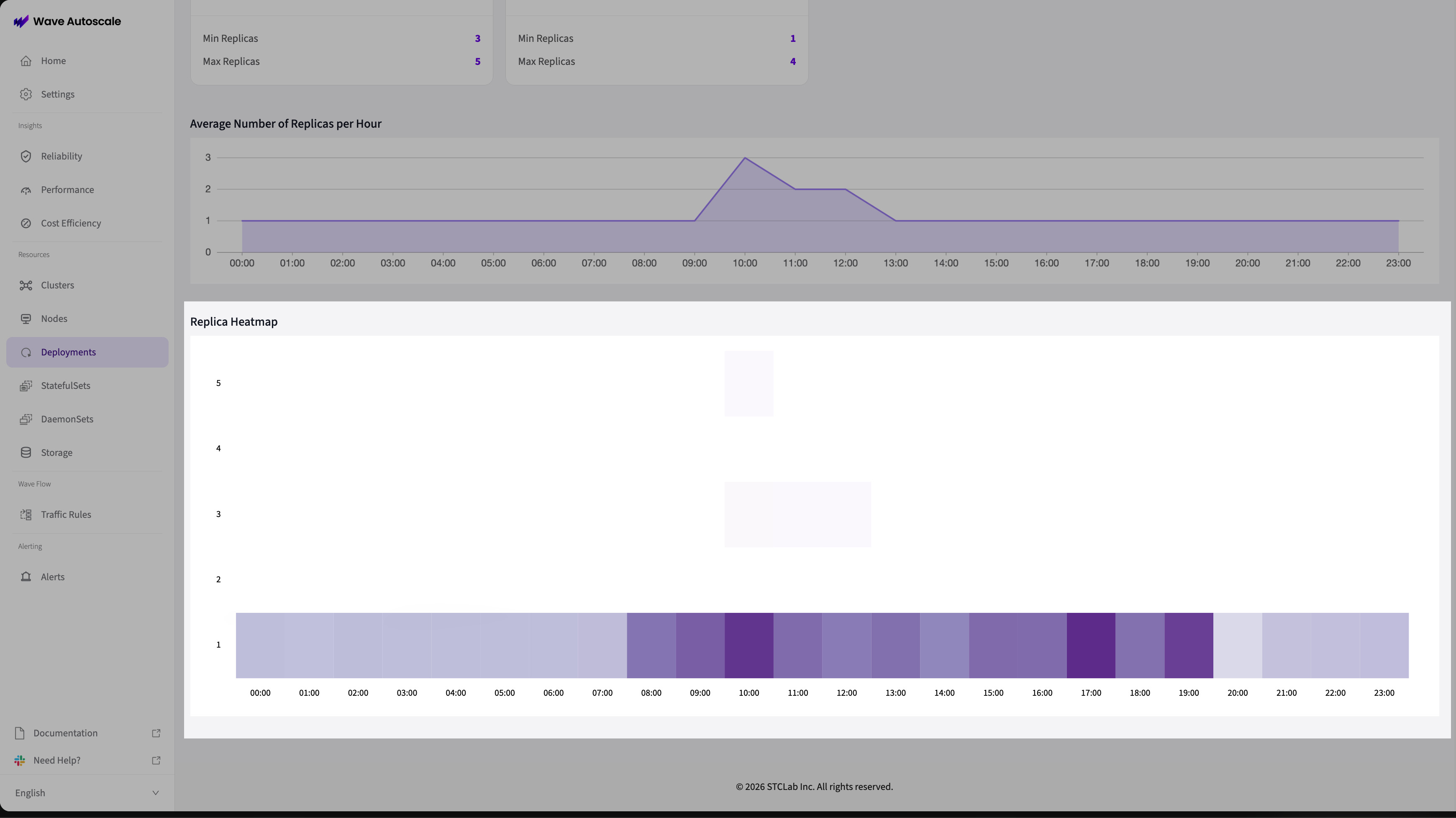
Below the cards, a 24-hour heatmap and area chart show predicted replicas by hour, so you can see peak and off-peak windows.
Applying the values
Copy the recommended values into your Autopilot config:
- Go to the Deployment's Autopilot settings.
- Set Min Replicas and Max Replicas from your chosen set (Performance or Cost).
- Save, and monitor scaling for about a week.
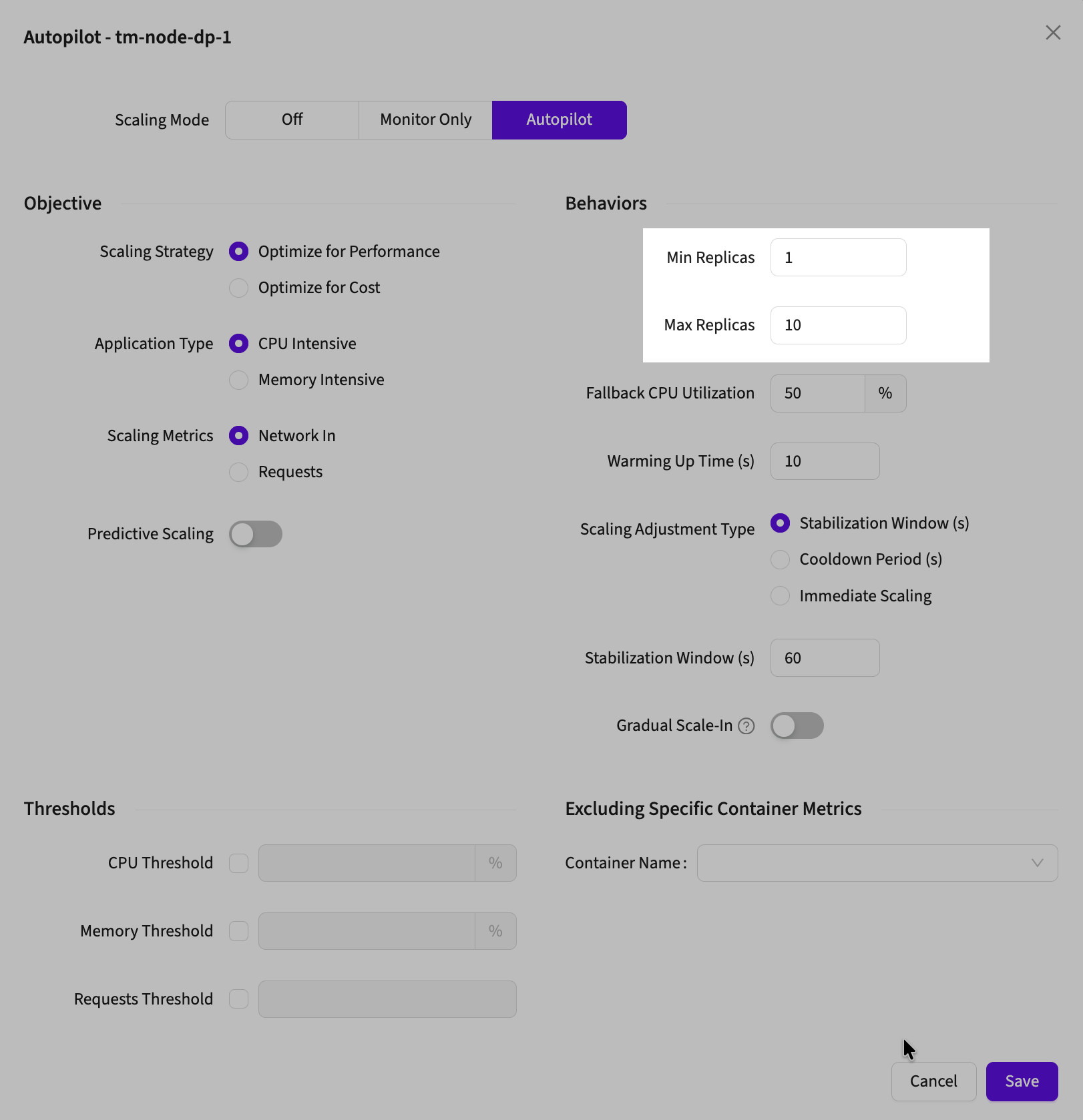
Mix and match. A common pattern is Min Cost for the lower bound (minimize idle cost) and Max Performance for the upper bound (absorb peak traffic).
Troubleshooting
No recommendations after enabling Autopilot? The ML model needs 7 to 14 days of consistent traffic. Verify the Deployment has steady traffic and that Autopilot has been enabled long enough.
Recommendations don't match behavior? The model may have trained during an atypical period. Check the heatmap against current traffic and allow time for it to retrain.
Next Steps
- Core Configuration: all Autopilot settings
- Cost vs Performance: choosing a strategy