Timing Controls
Fine-tune scaling behavior with timing controls that balance responsiveness and stability.
Available Controls
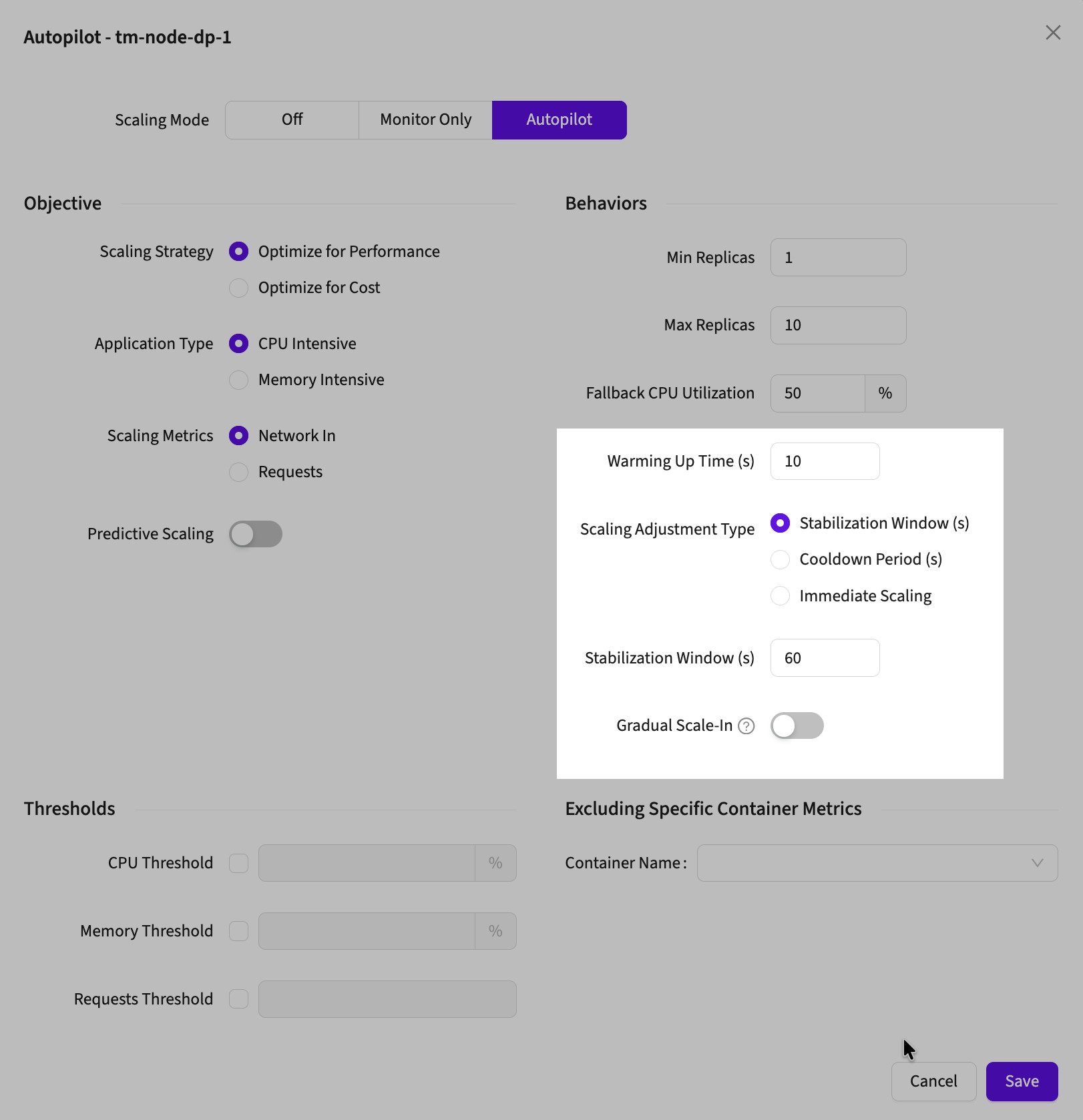
Warming Up Time
Ignores metrics during pod initialization to prevent premature scaling decisions on unstable startup data.
How it works: Autopilot skips metrics from newly created pods for the specified duration, preventing scale-in triggered by incomplete initialization.
Default: 10 seconds
When to use: Applications with slow startup (database connections, cache warming, model loading)
Recommended values:
- 30-60s: Fast-starting apps (Go, Node.js, stateless services)
- 120-300s: Standard apps (Python, Ruby, most APIs)
- 300-600s: Slow-starting apps (JVM apps, ML model loading, large caches)
Stabilization Window
Delays scale-in only - allows rapid scale-out while preventing premature scale-down.
How it works: After a scale-in decision, Autopilot waits for the specified duration before applying the change. Scale-out happens immediately.
When to use: Traffic with sudden drops that might recover quickly (end of peak hours, temporary lulls)
| Control Type | Behavior | Best For |
|---|---|---|
| Stabilization Window | Delays scale-in only | Workloads with fluctuating traffic or temporary spikes |
Cooldown Period
Delays both scale-in and scale-out after any scaling action.
How it works: After any scaling change, Autopilot waits for the specified duration before making another scaling decision.
When to use: Workloads needing stability after scaling (stateful services, connection pools, distributed caches)
| Control Type | Behavior | Best For |
|---|---|---|
| Cooldown Period | Delays both scale-in and scale-out | Workloads needing stability after any scaling |
Immediate Scaling
No delays on scaling actions - both scale-in and scale-out happen immediately when triggered.
How it works: Autopilot scales immediately based on metrics without any timing restrictions.
When to use: Workloads with very predictable traffic patterns where rapid scaling is safe, or workloads with high min replica baselines that can tolerate aggressive scaling
| Control Type | Behavior | Best For |
|---|---|---|
| Immediate Scaling | No delays, immediate scaling | Predictable steady workloads with high min replica baseline |
Gradual Scale-In
Enables step-wise scale-down instead of immediate replica reduction to target count.
How it works: When enabled, scale-in reduces replicas by 1 at a time rather than jumping directly to the predicted count.
When to use: Stateful workloads or services where abrupt replica drops could cause connection loss or data redistribution issues
| Control Type | Behavior | Best For |
|---|---|---|
| Gradual Scale-In | Step-wise scale-down (1 replica at a time) | Stateful services with connection draining needs |
Choosing the Right Configuration
Bursty workloads: Stabilization Window (60-120s) to prevent premature scale-down
Stateful services: Cooldown Period (120-300s) + Gradual Scale-In
Predictable traffic: Immediate Scaling with appropriate min/max bounds
Cost-sensitive: Stabilization Window (30-60s) to avoid scaling oscillation
Configuration Examples
Example 1: Fast-Starting Stateless Web Service
Warming Up Time: 30s
Stabilization Window: 60s (default)
Cooldown: None
Gradual Scale-In: DisabledWhy: Quick startup, standard protection against flapping
Example 2: Java Application with Database Connections
Warming Up Time: 300s
Stabilization Window: 180s
Cooldown: None
Gradual Scale-In: EnabledWhy: Long JVM warmup, connection pools need time, gradual scale-in prevents connection storms
Example 3: Background Worker (Cost-Optimized)
Warming Up Time: 30s
Stabilization Window: None (Immediate Scaling)
Cooldown: None
Gradual Scale-In: DisabledWhy: Fast startup, cost matters more than stability, predictable load doesn't need protection
Example 4: Stateful Service with Connection State
Warming Up Time: 120s
Stabilization Window: 300s
Cooldown: None
Gradual Scale-In: EnabledWhy: Needs time for state setup, gradual scale-in prevents losing too many connections at once
Example 5: High-Stability Production API
Warming Up Time: 180s
Stabilization Window: None
Cooldown: 180s
Gradual Scale-In: EnabledWhy: Cooldown prevents any scaling churn, gradual scale-in when it does happen
Troubleshooting
Scaling During Pod Startup?
Autopilot scales up during initialization
Fix: Increase Warming Up Time to cover full startup period
Frequent Scale Up/Down Cycles?
Replicas changing every few minutes
Fix:
- Add/increase Stabilization Window (60-180s)
- Or switch to Cooldown Period if need to block all scaling
Service Disruption During Scale-Down?
Errors or slow responses when scaling in
Fix: Enable Gradual Scale-In to remove pods in smaller steps
Too Slow to Scale Up?
Latency during traffic increases
Fix:
- Use Stabilization Window (not Cooldown)
- Enable Predictive Scaling
- Check if Warming Up Time is too long
Related Documentation
- Getting Started: Basic configuration
- Core Configuration: All available settings
- Predictive Scaling: Combine with timing controls
- Cost vs Performance: Strategy impacts on timing