Cluster Map
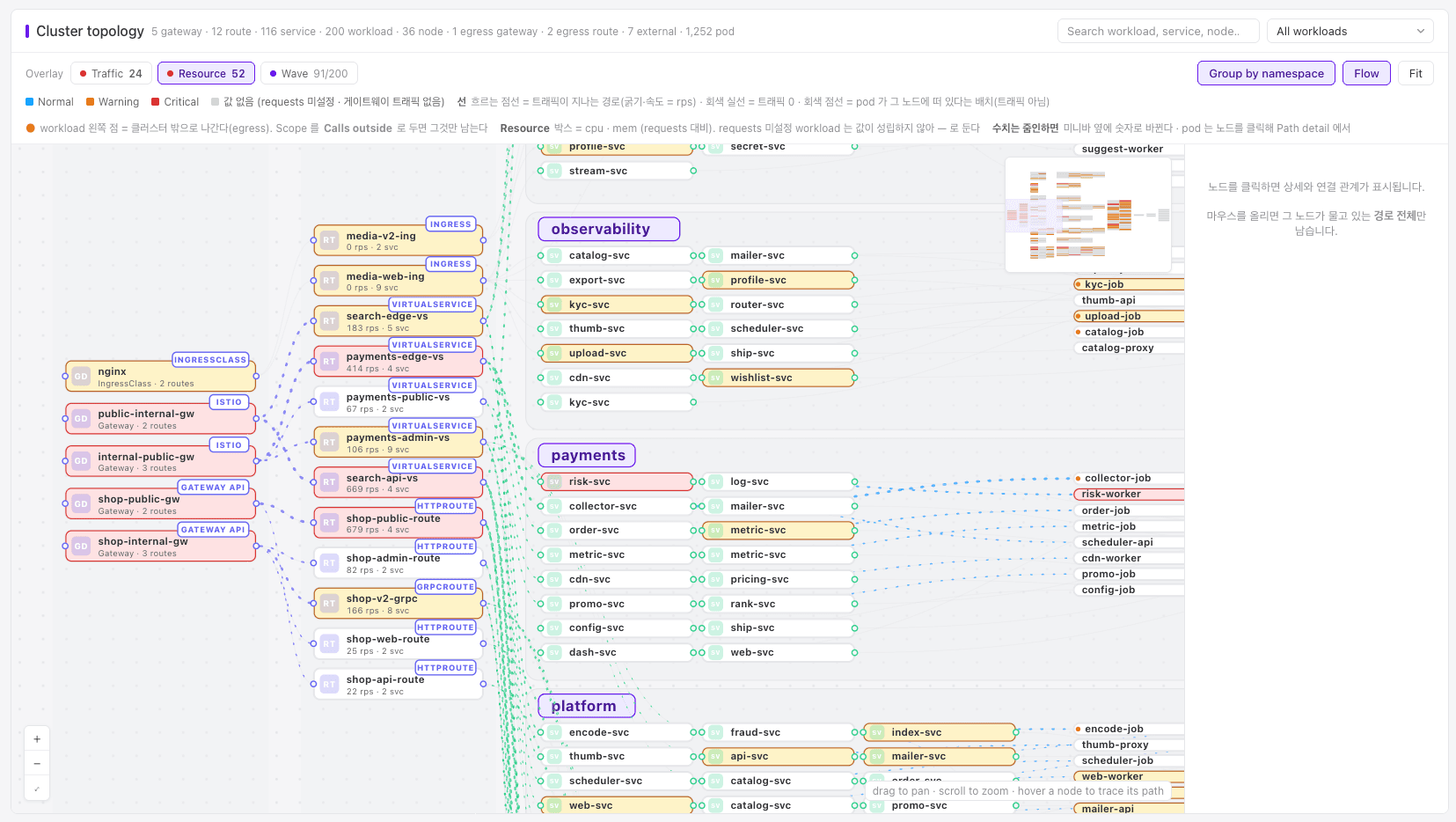
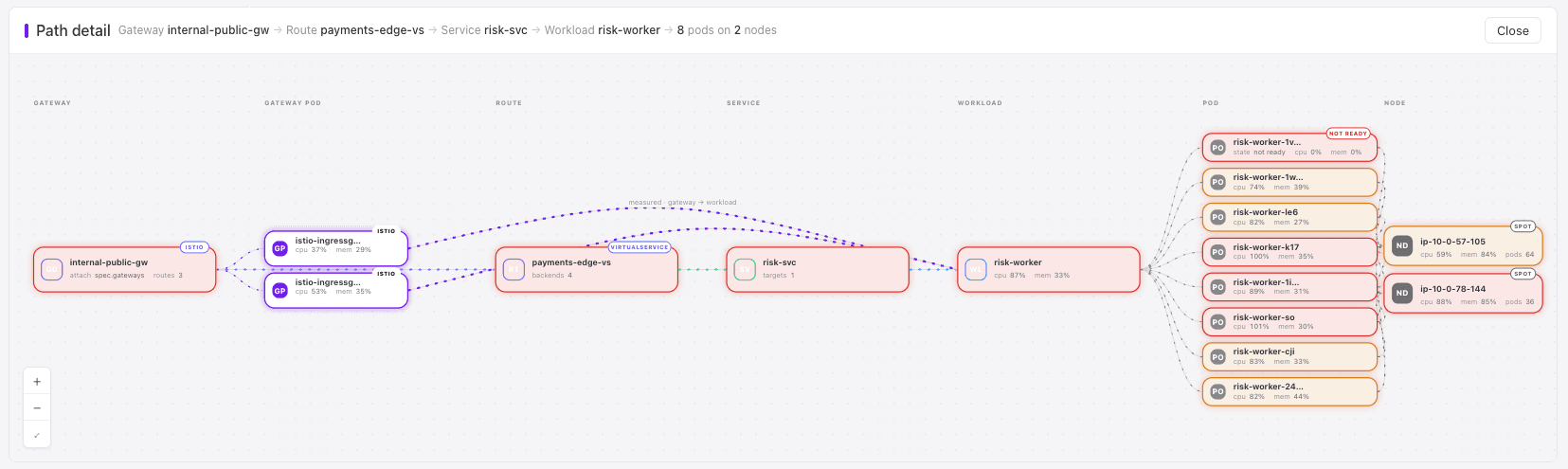
The whole path of a request, from gateway to route, service, workload, and node, on one map.
Which Pod serves /checkout? 6 kubectl lists to find out
Kubernetes Gateway API and core API; New Relic, 2025 Observability Forecast
During an incident, the path of one request is spread over Gateways, HTTPRoutes, Services, EndpointSlices, Pods, and Nodes. Rebuilding it means several kubectl commands and a lot of reading.
Engineers spend 33% of their time on firefighting and addressing disruptions (New Relic, 2025 Observability Forecast).
Object types from the Cluster Map feature page.
How Wave does it
 HTTPRoutekubectl get httproute: read backendRefs
- backendServicea selector picks its Pods
- selector
 Pod IPslisted in an EndpointSlice
 - -o wide
 Pod and Nodekubectl get pods -o wide
 Wavereads gateways, routes, Services, Pods, and nodes
- joinsOne pathgateway to node, on one map
- hoverFocusonly the paths through one node
- IstioIstio numbersrps, latency, and success rate
Draw the path
Gateway, route, service, workload, node, as one map. Hover a node to keep only the paths that run through it.
Add numbers when Istio is there
With Istio ingress and mesh, the map shows rps per route and p95 latency, success rate, and CPU throttling per workload.
Change what the colors mean
Repaint the same map by traffic, by resource use against requests, or by which workloads Wave manages.
Work with large clusters
Group by namespace, search workloads, services, and nodes by name, and see calls that leave the cluster.