An alert fires, or a schedule comes due.The agent investigates and writes the report.
A fixed four-step workflow inside the Wave console: a trigger, an AI agent, a report, and a notification. The agent reads your cluster through built-in tools, so there is nothing to wire up first.
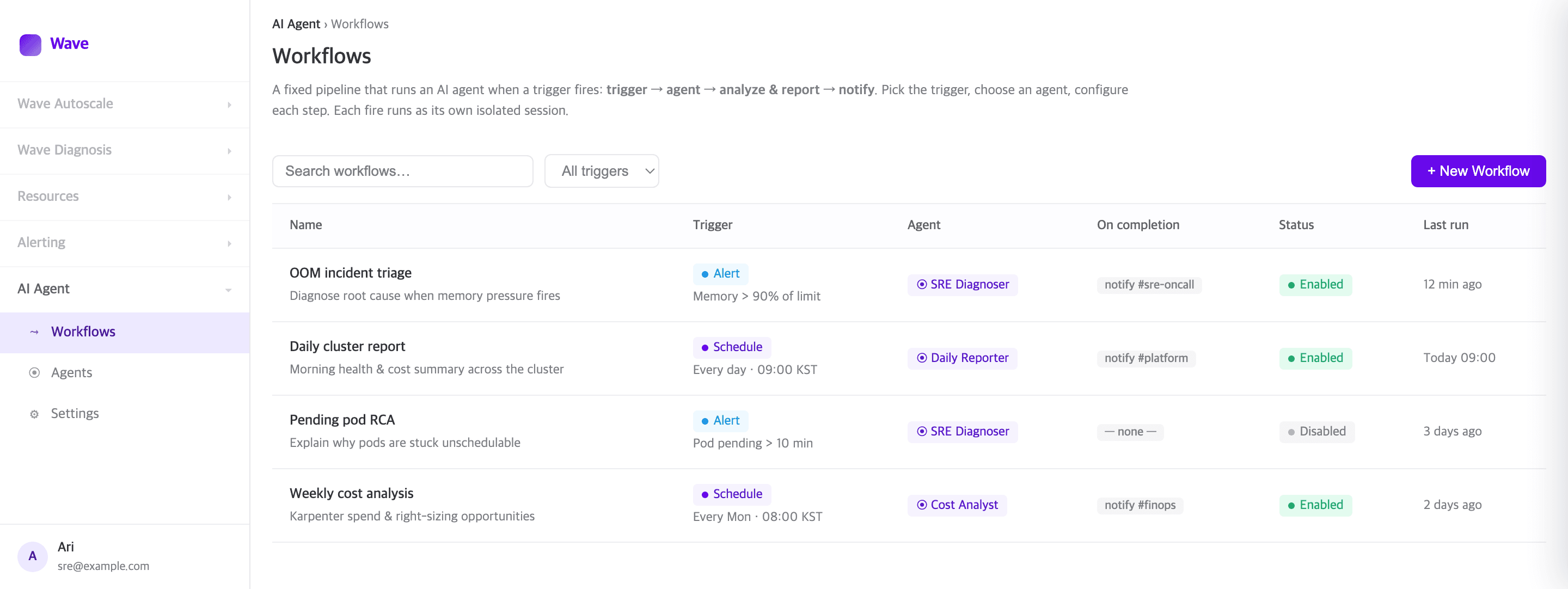
Four steps, fixed. You configure each one.
A workflow is not a canvas you draw. It is the same four steps every time, in the same order, and you set what each one does. Every time the trigger fires, the workflow runs as its own isolated session.
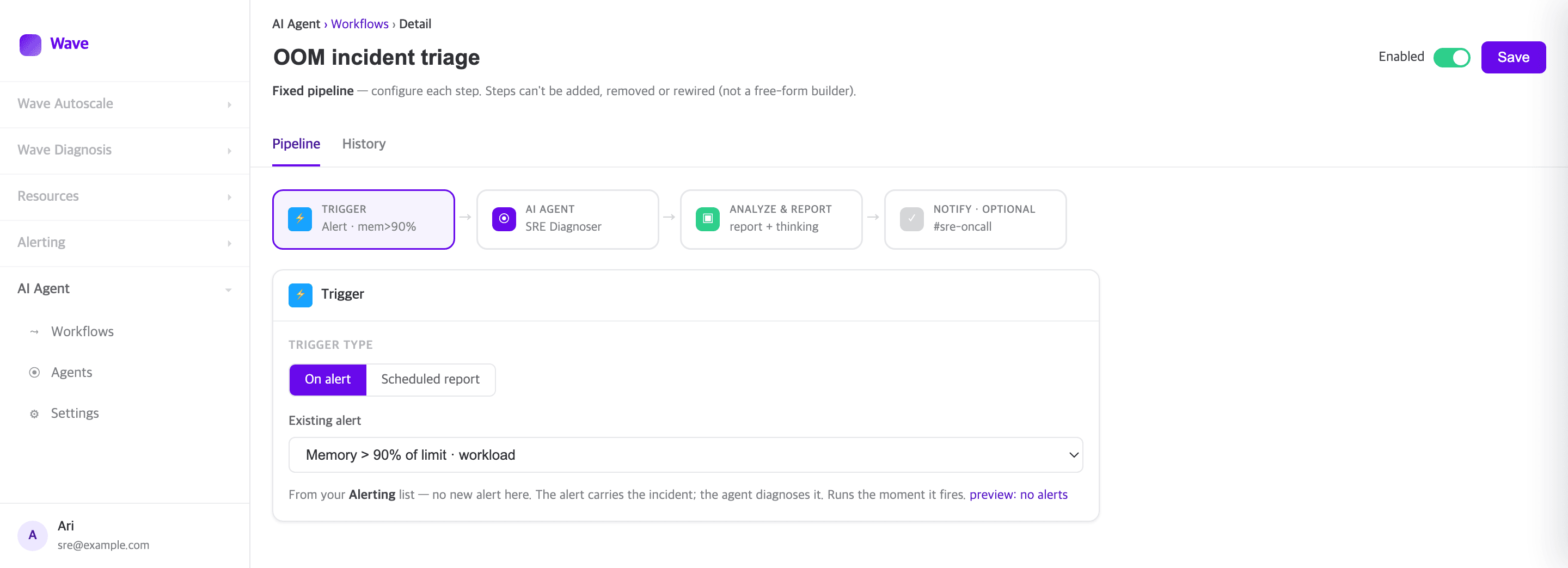
- 1Trigger
An alert, or a schedule.
Pick an alert you already have in Alerting, or a cron schedule. Wave AI Agent does not ask you to define a second alert here.
You setThe alert, or the cron expression and time zone.
- 2AI Agent
The agent that does the work.
Choose one of the agents you have defined. Its persona, its system prompt and its model come with it, and the built-in cluster tools are attached for you.
You setWhich agent runs.
- 3Report
Analyze, then write it down.
The run produces a report in Markdown or HTML and, when you ask for it, the reasoning the agent followed to reach it.
You setReport format, and whether to keep the reasoning.
- 4Notify
Optional. Send it somewhere.
Post the report to a Slack channel or an HTTP webhook. It reuses the alert channels you already have, so delivery, retries and logs come with them.
You setThe channel, or nothing at all.
Steps cannot be added, removed or rewired. That is deliberate: a workflow anyone on the team can read at a glance, and a run you can compare with the run before it.
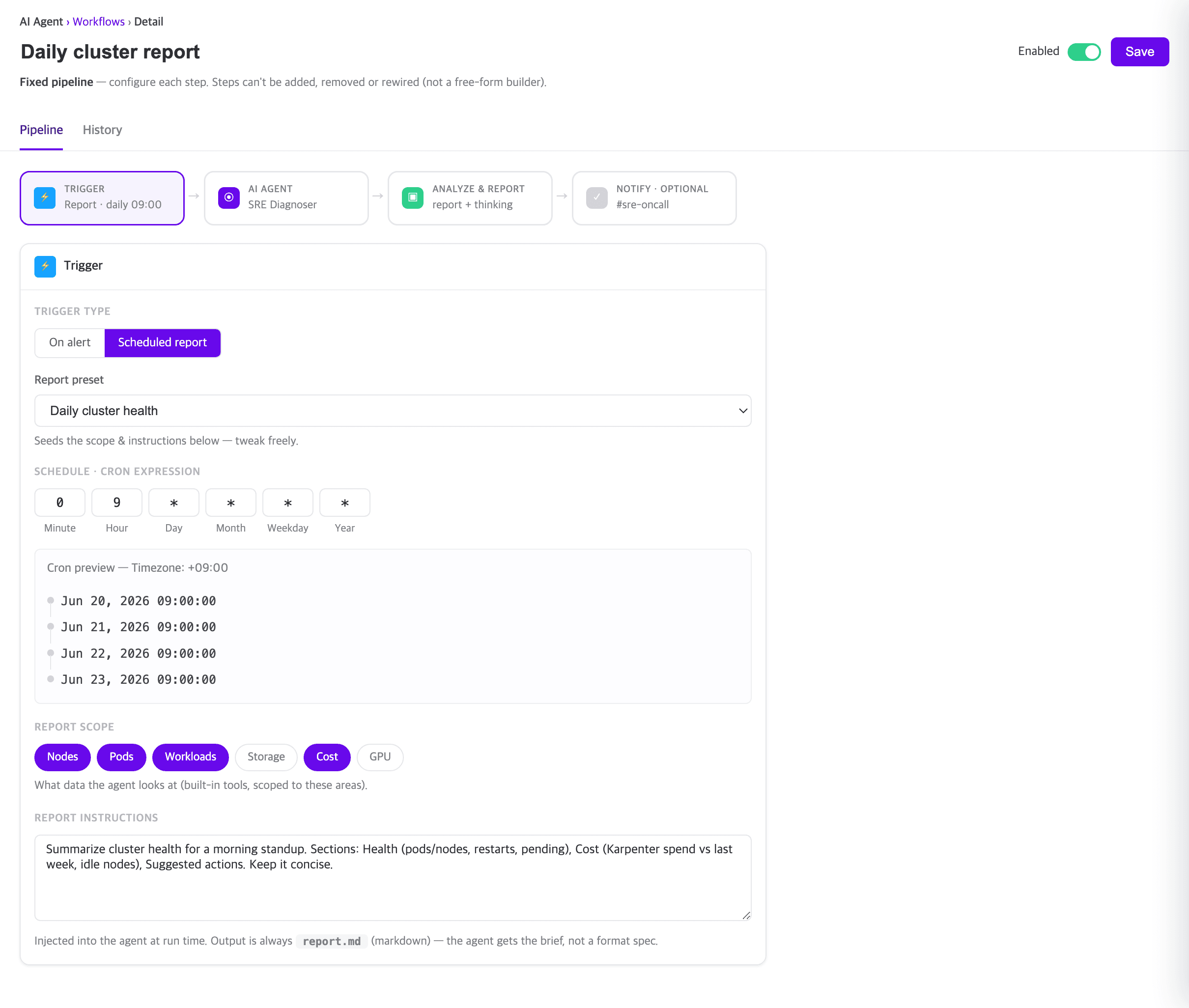
Or run it every morning, on a brief you write.
A scheduled workflow is the same four steps with a clock in front of them. It is how the daily and weekly reports get made.
- A cron expression, with the next runs shown
Minute through year, in your time zone, and the next four run times printed underneath so you can see what you just typed.
- The data the agent may look at
Nodes, pods, workloads, storage, cost, GPU. A cost review can be scoped to cost and nodes alone, and then the agent never reads the rest.
- The brief, in your words
What the report should cover and how long it should be. Presets seed it — daily health, weekly cost, capacity forecast — and you edit from there.
An agent is a persona, a prompt and a model.
Define an agent once and use it in as many workflows as you like. A diagnosis agent and a cost agent read the same cluster and write very different reports, because you told them to.
- Persona
- Who the agent is. A senior SRE who wants evidence reads a restart pattern differently from an analyst counting spend.
- System prompt
- What the agent should do with what it finds. Cite the metric it used. Propose one fix. Keep it short.
- Model
- Which LLM this agent runs on, and its token limit. The choice is per agent, so a small model can write the daily summary while a stronger one handles incidents.
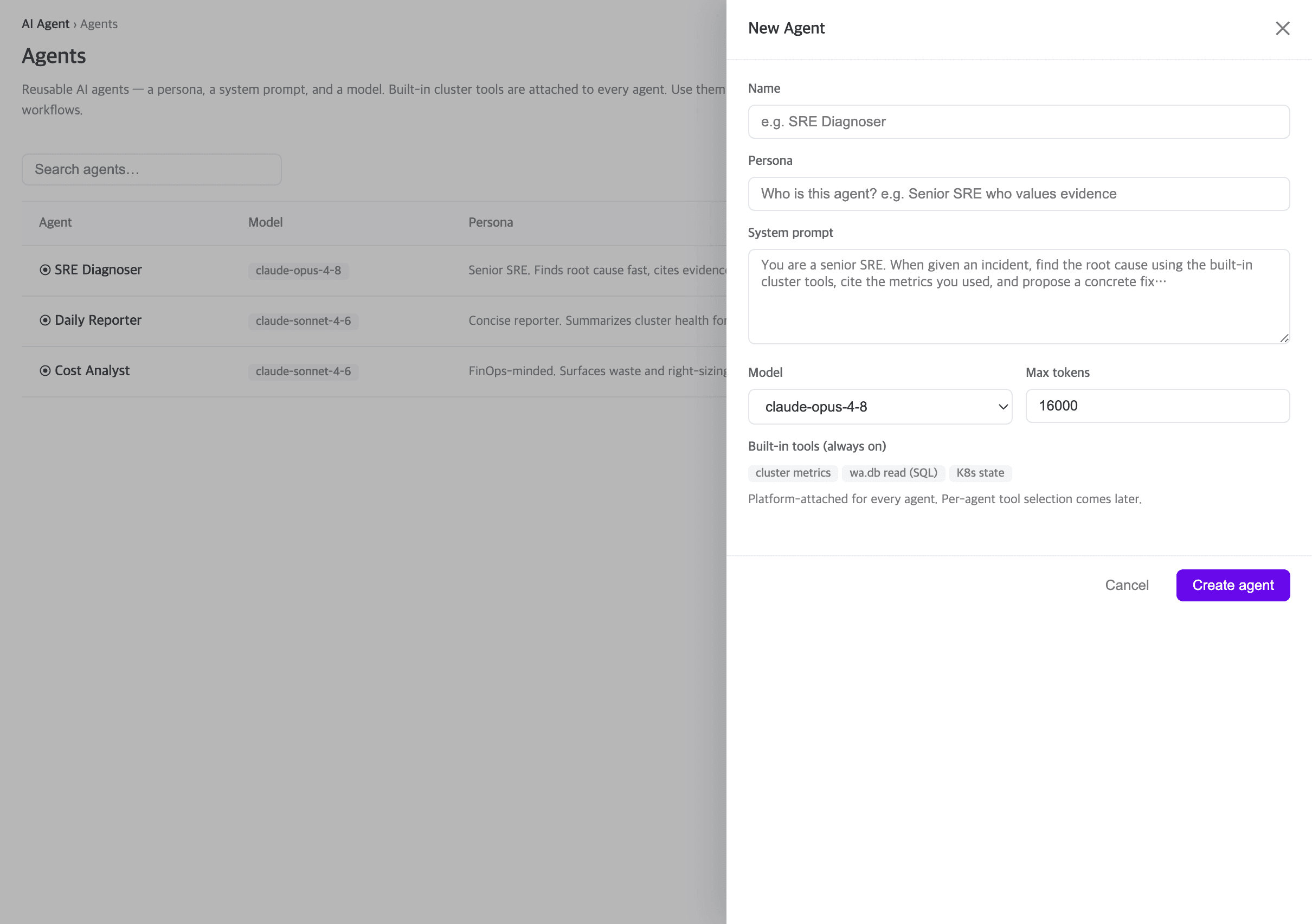
Every agent gets the same three tools, attached by the platform. There is no server to stand up first and no credentials to hand out.
- cluster metricsCPU, memory, restarts and the rest of the time series Wave already collects.
- Kubernetes stateNodes, pods, workloads and their specs, as the API server reports them.
- Wave database · SQL readWhat Wave has already worked out: sizing recommendations, diagnosis results, cost history.
The tools read. A workflow writes a report and sends a notification; it does not change your cluster.
Every run leaves two files.
One run per trigger, kept in the workflow history. The report says what the agent concluded. The thinking file says how it got there, so you can check the work and disagree with it.
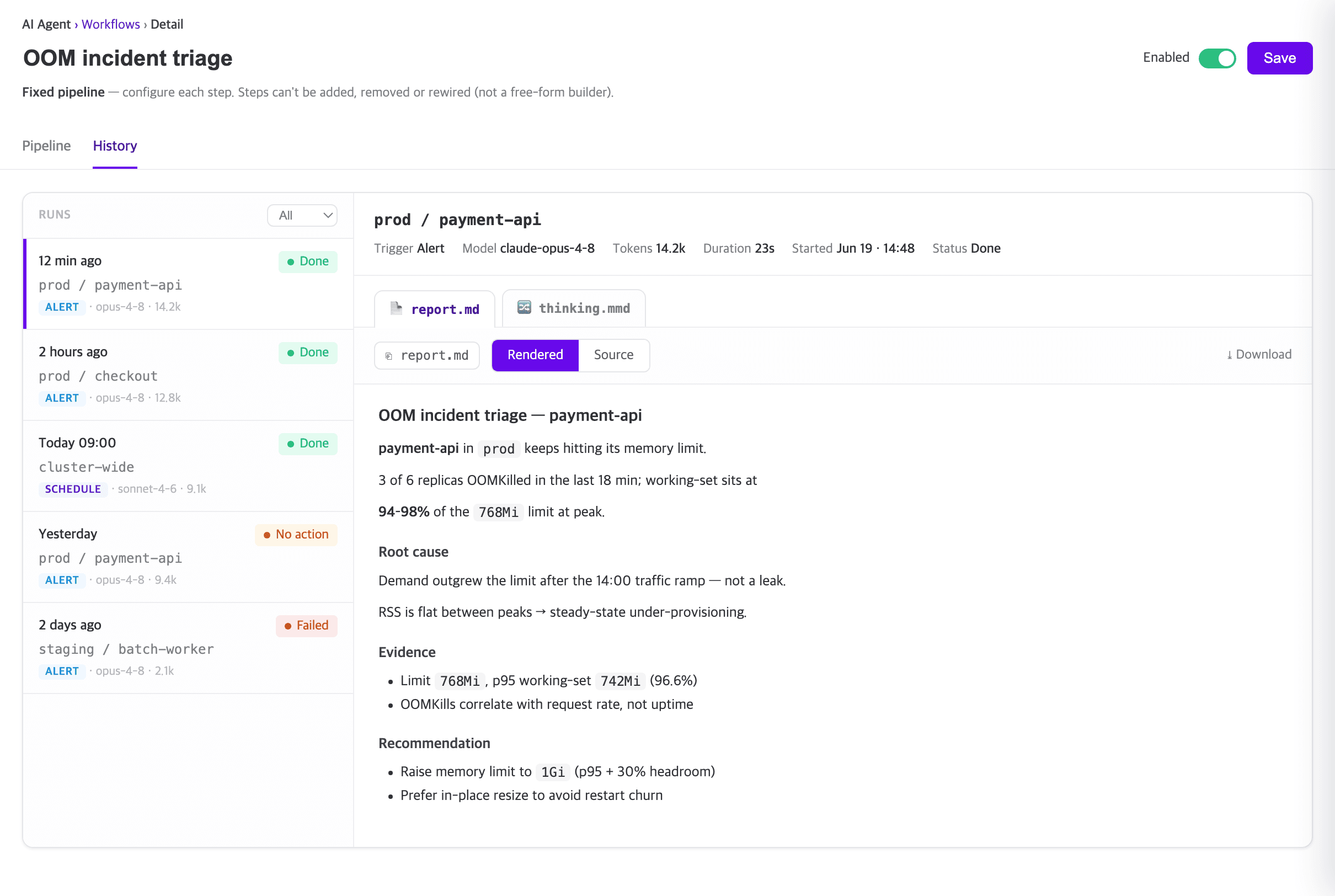
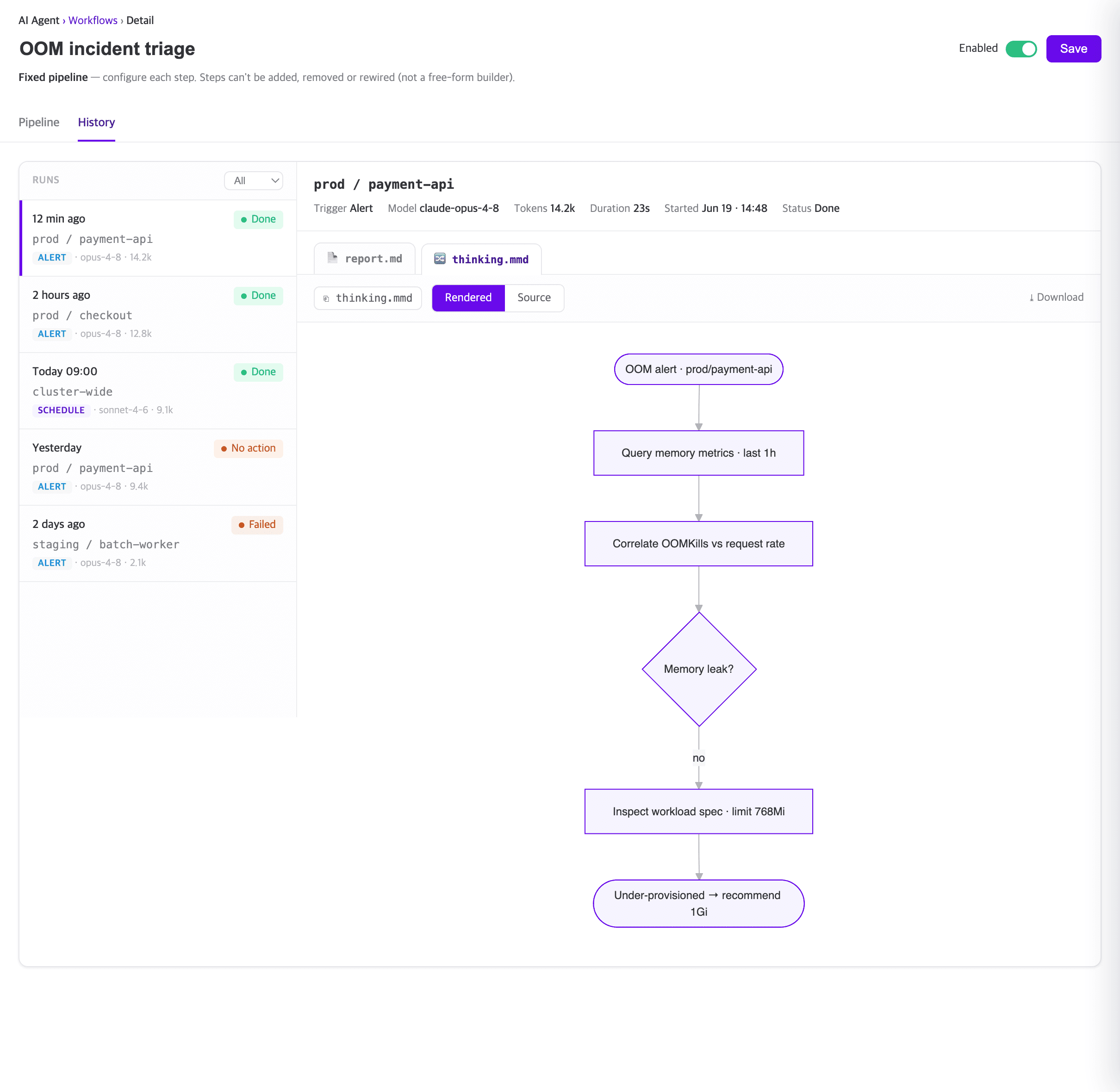
The content in these frames comes from the console design. It shows the shape of a report, not a result measured on your cluster.
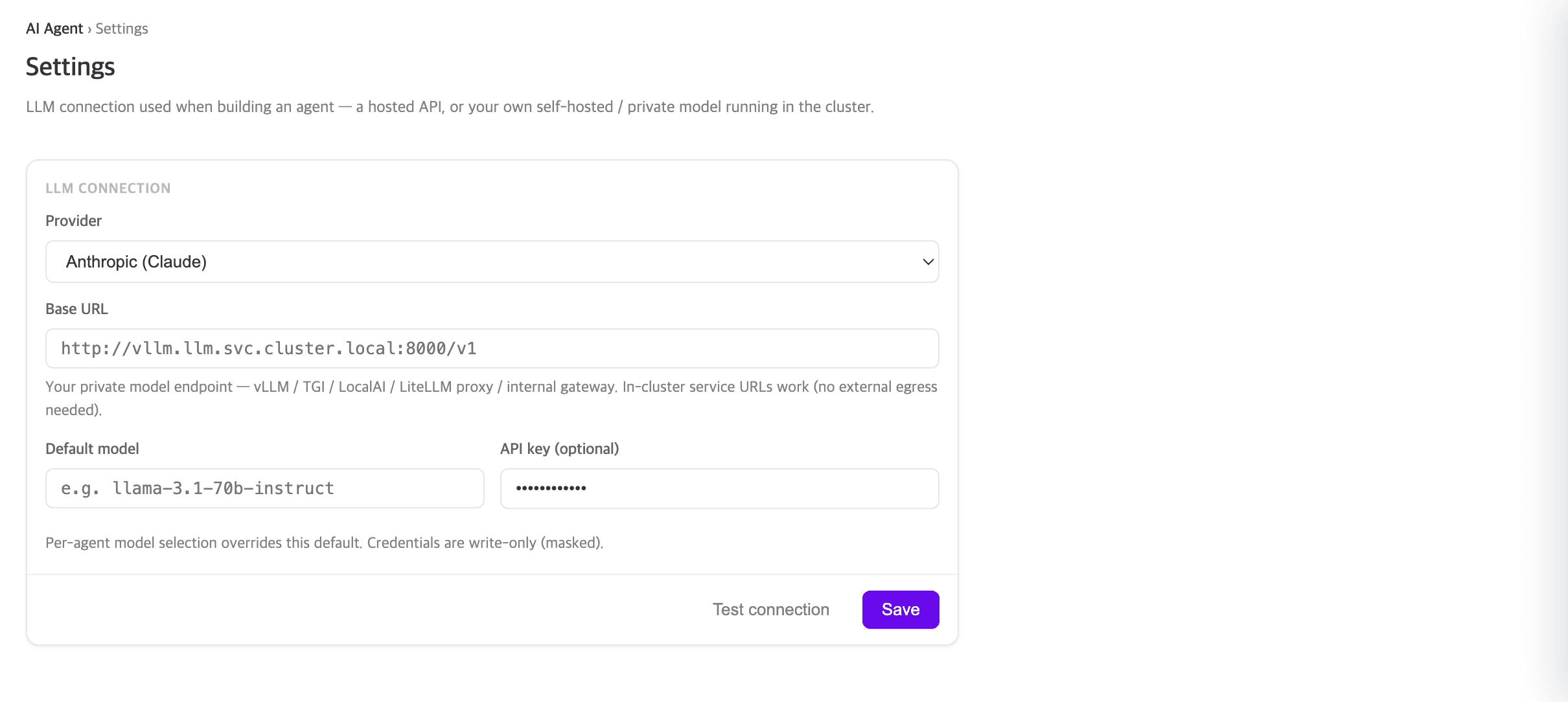
The model is your choice, including one you host.
Connect a hosted API, or point Wave at a model running inside your own cluster. Each agent can override the default, so the model is a per-job decision.
An in-cluster endpoint is enough.
Any OpenAI-compatible endpoint works: vLLM, TGI, LocalAI, a LiteLLM proxy, or an internal gateway. Give it the service URL.
A cluster service URL resolves inside the cluster, so an air-gapped environment needs no outbound path to a model vendor. Credentials are write-only and shown masked.
One reacts to an incident. One reports every morning.
OOM incident triage
AlertFind the root cause when a workload runs out of memory, while the incident is still open.
- Trigger
- Alert — memory above 90 percent of the limit
- AI Agent
- SRE Diagnoser — finds the root cause, cites evidence, proposes a fix
- Report
- Markdown, with the reasoning kept
- Notify
- #sre-oncall on Slack
Daily cluster report
ScheduleA health and cost summary for the morning, across the whole cluster.
- Trigger
- Schedule — every day at 09:00
- AI Agent
- Daily Reporter — summarizes health and cost for a standup
- Report
- HTML, styled and downloadable
- Notify
- #platform on Slack

Wave AI Agent arrives in 2026 Q4.
Early access is open. Tell us which workflow you would run first, and on which cluster.
Request early access